I’m not going to lie; I’ve done some stupid things in my life. If you want to see this in action, just have a few drinks with me and sit back and wait.
But this one takes the cake. I make cycling routes on Ride With GPS all the time for my business, and I just found out I’ve been getting these to my Garmin all wrong! Until good ol’ Jack told me last week the easy way, I had been downloading the gpx file to my hard disk, then dragging that bad boy into the famous New Files folder in my Garmin device (for this, the device needs to be physically attached to the computer).
Well, who knew that I could skip all these steps and do everything by Bluetooth?! And here’s how it’s done:
First, you need to have RWGPS synced with Garmin Connect, which I had already, amazingly. Then, after creating or uploading a route on RWGPS, just ‘pin’ it at the top left of your screen.
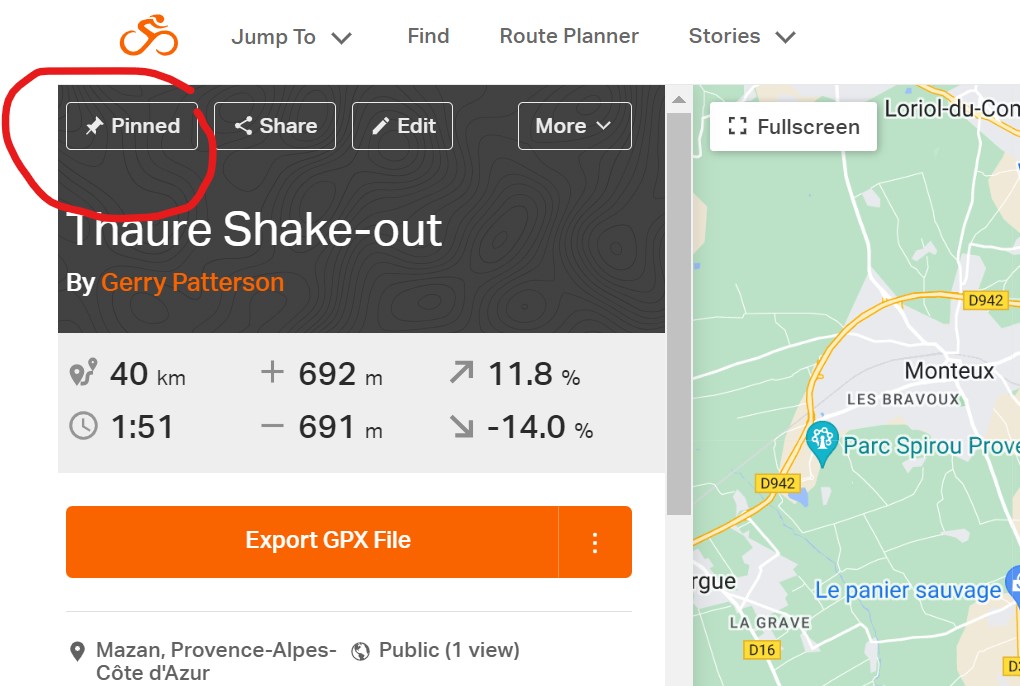
Then open Garmin Connect on your phone and sync. Your route will show up on your device (I suppose you need to have this on for this step) under Navigation-Courses-Saved Courses….like magic.
Middle-aged dog learns new trick.
 The Vicious Cycle
If that’s your idea of being stupid you’re not trying very hard.
I’ll keep at it then.
can you please invite me to the exclusive stupid club then? There is nothing about Garmin usability that implies intelligence. It has a UI intended for non-humans, I’m convinced. Blame this on Garmin and not us…
Amazingly, this works well, at least for me. It did take a YouTube tutorial to figure it out, of course.
You can put routes on a Garmin? Who knew?
We have a lot to learn still.
And in my case, so little time to learn it in.
I just trust the “Force” when I ride in unfamiliar territory. I also find in Europe, especially France and Italy, there is alway great signage pointing the way that even anglophones like myself can follow.
Using The Force when you’re a tour guide is probably not the best way to stay in business, but I see your point!
Oh nice! I’ve not synced my RWGPS and Garmin accounts, so have been doing the old “drag-and-drop” also!
It’s scarily easy, too, which is really annoying!
Garmin? what’s Garmin? you have any idea how difficult it is to stuff a sextant into the rear jersey pocket? geez!
You could try using your handlebar bag!
That worked great Gerry! Thanks for the tip. I figured there had to be a better way than plugging in to the computer/hard drive
Glad I could help, Sam! Hope all is well, wherever you are now.